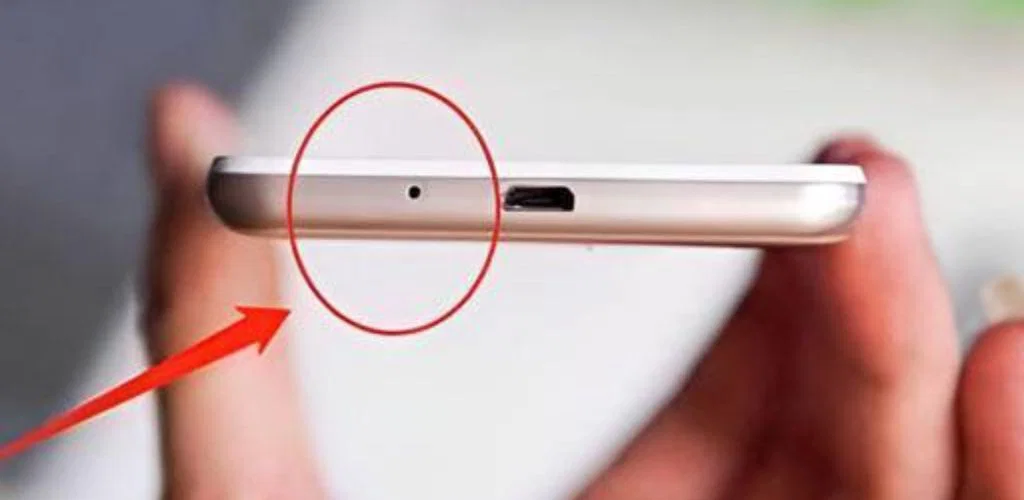
Actually, depending on which “small hole” you’re looking at, it serves one of two vital roles. Most modern phones have at least two down there.
1. The Primary Microphone
This is the one usually located right next to the charging port. Its job is to pick up your voice during calls, voice memos, or when you’re arguing with your AI assistant. It’s often covered by a tiny mesh to keep out dust, which is why your voice might sound muffled if that hole gets clogged with pocket lint.
2. The Pressure Equalization Vent (Barometric Vent)
If you see a hole that looks too small to be a microphone, it’s likely an internal vent.
- The Purpose: As phones became “water-resistant,” they had to be sealed air-tight.
- The Physics: Without this vent, changes in altitude (like being on a plane) or even just pressing on the screen would cause a pressure difference between the inside and outside of the phone. This could warp your screen or damage the internal speakers.
- The Waterproofing: There is a special membrane (like Gore-Tex) inside that allows air to pass through but blocks water molecules from entering.
⚠️ The “Don’t Do This” Warning
Whatever you do, never poke a needle or a SIM tool into those holes. * If it’s the microphone, you could puncture the delicate diaphragm.
- If it’s the vent, you will tear that tiny waterproof membrane, instantly killing your phone’s water resistance.
Fun Fact: If your phone also has a small hole at the top or on the back near the camera, that’s a noise-canceling microphone. It listens to the background noise around you and digitally subtracts it so the person on the other end only hears your voice.
Is your phone’s audio acting up, or were you just curious about the mysterious “speed holes” in your hardware?